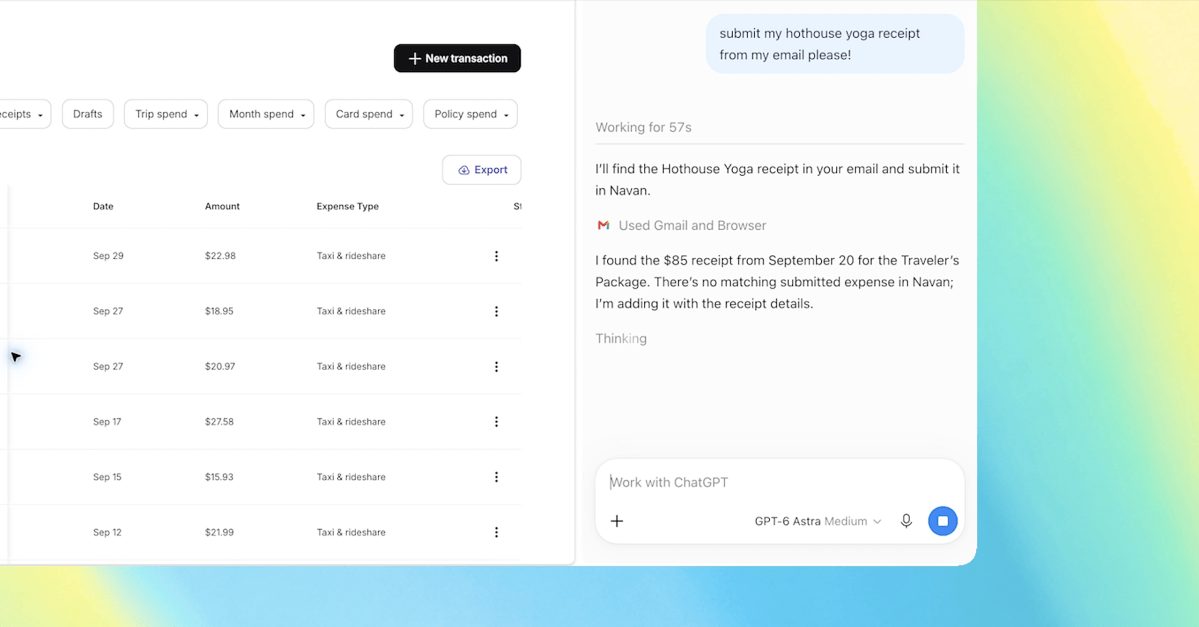
OpenAI has updated its ChatGPT Google Chrome extension, adding capabilities that allow the chatbot to inspect open browser tabs and automate web tasks directly within the browser interface. Users can tag Chrome inside the ChatGPT web or desktop app to let the AI analyze across multiple open tabs simultaneously.
In addition to side-by-side content analysis, the updated sidebar extension introduces automation capabilities for ChatGPT Work subscribers. The AI can perform direct browser controls, such as filling out online forms, sending messages, downloading files, and managing tab groups.
This feature directly competes with similar browser-automation tools, such as Google’s Gemini-powered auto browse functionality. By integrating tab context and agentic browser controls, OpenAI aims to position ChatGPT as an active workflow assistant within daily browser navigation.
Why it matters
Expands agentic web automation capabilities to general consumers and enterprise ChatGPT Work users.
Directly challenges Google’s browser AI integrations by leveraging open Chrome extensions.
Unlocks workflow automation productivity for tasks like form filling, research synthesis, and data downloading.
Source: theverge.com